Managing hundreds of pending friend requests on Facebook can become time-consuming, especially for public profiles, creators, influencers, or highly active users.
Many people search for shortcuts or browser tricks to accept friend requests faster, but before using any third-party scripts or automation tools, it’s important to understand the risks involved.
In this guide, we’ll discuss safer ways to manage large numbers of Facebook friend requests and important precautions to keep your account secure.
Why Some Users Receive Large Numbers of Friend Requests
Public-facing accounts often receive many requests daily, including:
- influencers
- content creators
- local celebrities
- business owners
- gaming profiles
- community pages
Manually accepting requests one by one can become repetitive and time-consuming.
Can You Accept All Friend Requests in One Click?
Over the years, users have shared various browser scripts and automation methods claiming to accept all pending requests instantly.
These methods typically use:
- browser console scripts
- bookmarklets
- automation extensions
However, using unofficial automation tools can sometimes violate platform policies or trigger suspicious activity warnings.
Risks of Using Unofficial Facebook Scripts
Before using automated scripts, understand the possible risks:
Temporary Restrictions
Facebook may temporarily limit actions if unusual activity is detected.
Security Risks
Unknown scripts may:
- collect account information
- inject malicious code
- compromise privacy
Account Flags
Aggressive automation may trigger spam or bot detection systems.
Safer Ways to Manage Friend Requests
Instead of risky automation tools, consider these safer alternatives.
1. Review Requests in Batches
Accept requests gradually rather than hundreds at once.
This reduces the chance of triggering suspicious activity systems.
2. Enable Professional Mode
For creators and public figures, Professional Mode on Facebook may reduce the need to accept every request manually.
Followers can interact without becoming full friends.
3. Clean Up Old Pending Requests
Regularly:
- remove fake profiles
- ignore suspicious requests
- organize your friend list
This keeps your account healthier and more secure.
4. Use Trusted Browser Extensions Carefully
If using productivity tools:
- only use reputable extensions
- review permissions carefully
- avoid tools asking for passwords directly
Important Security Tips
Never Share Your Login Credentials
Avoid websites promising instant “auto-accept” features requiring your password.
Enable Two-Factor Authentication
Extra login security helps protect your account.
Monitor Login Activity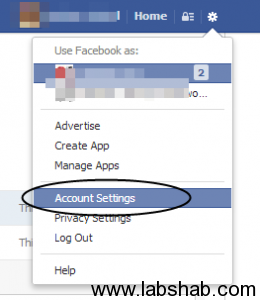
Regularly review:
- active sessions
- unknown devices
- suspicious logins
Why Facebook Limits Mass Actions
Social platforms often limit:
- mass friend requests
- bulk acceptance
- automated messaging
These restrictions help reduce:
- spam
- fake accounts
- automated abuse
Frequently Asked Questions
Can Facebook ban accounts for automation tools?
In some cases, excessive automation may trigger temporary restrictions or policy enforcement.
Is accepting many requests quickly dangerous?
Large sudden activity may appear suspicious to automated systems.
What is the safest way to grow connections on Facebook?
Organic engagement, followers, and gradual networking are usually safest long-term strategies.
Final Thoughts
Managing large numbers of Facebook friend requests can be difficult, especially for active accounts. While browser scripts and automation tricks exist online, using unofficial tools always carries some risk.
The safest approach is to:
- manage requests gradually
- maintain account security
- avoid unknown scripts
- focus on genuine engagement
Protecting your account should always be more important than saving a few minutes of manual work.